

Select region and language


Guide for Lotusmiles membership registration on Vietnam Airlines app
Step 1: Access and fill in the information
Passengers download and access the Vietnam Airlines app, then select "Sign up" at the top.
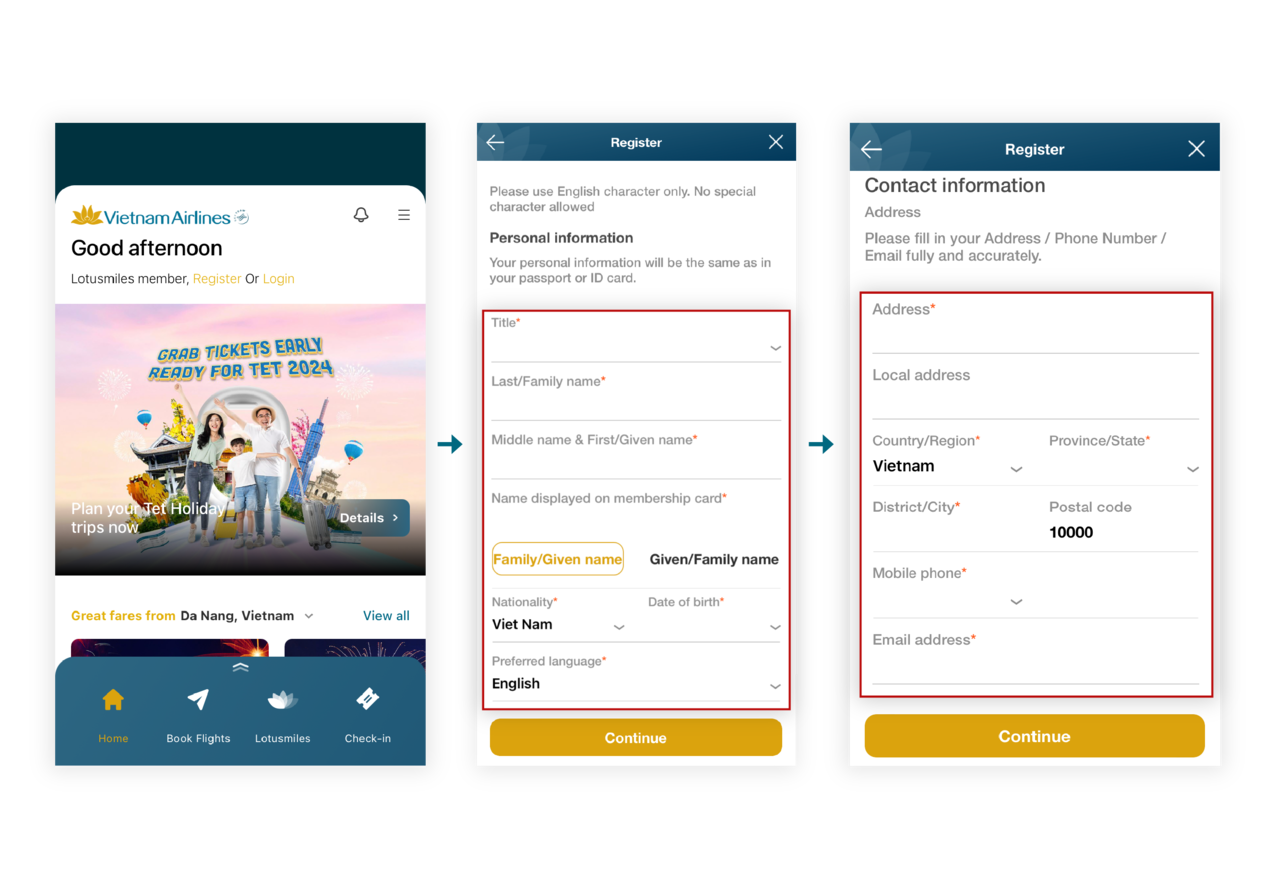
- At the Personal Information window, select a title, enter full name, and date of birth, select language, then click "Continue".
- At the Contact Information window, fill in the address, phone number, and email address and click "Continue". Please remember the phone number and email address to log in to the account after successful registration.
Step 2: Read the rules, terms, and policies
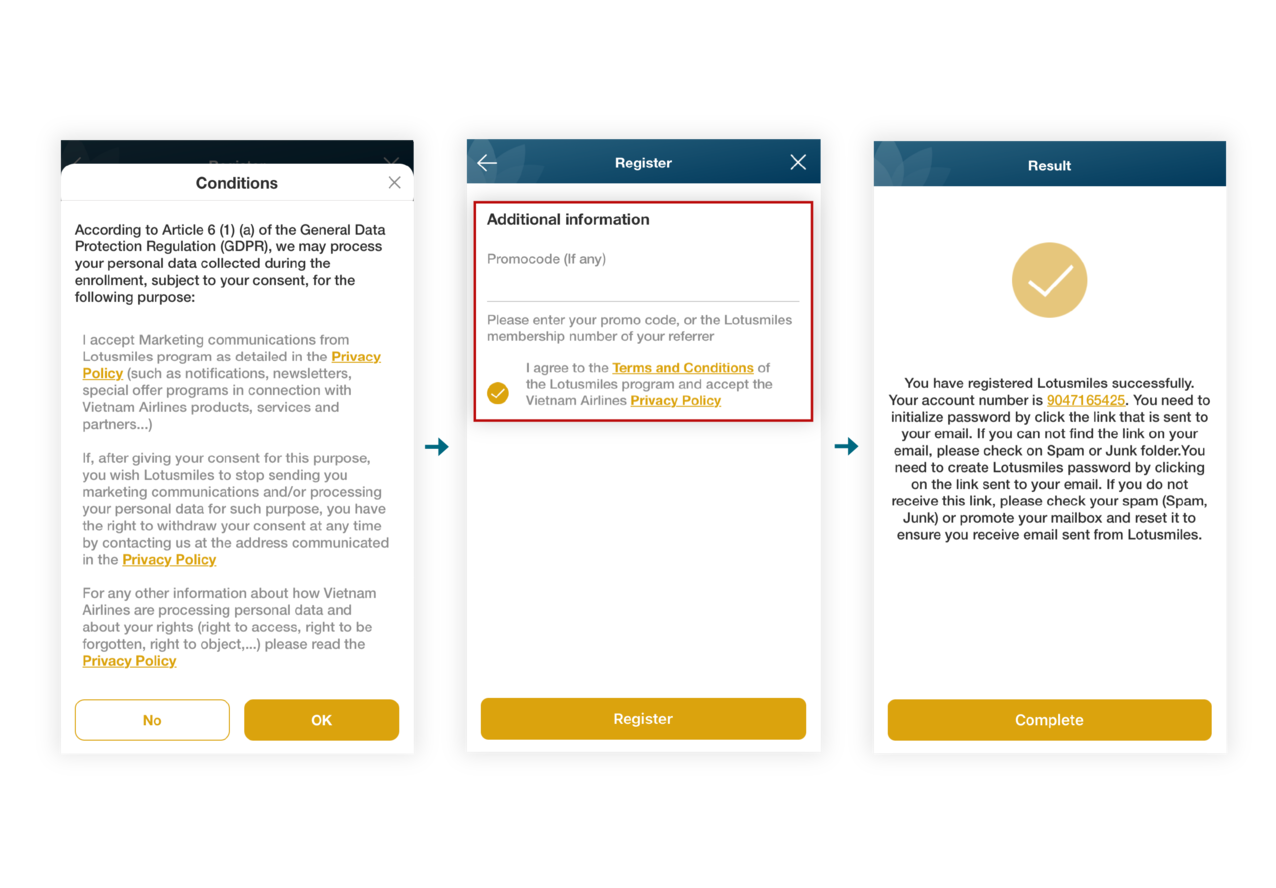
- At the Conditions window, read the information and select "OK". to agree.
- At the Additional Information window, enter a promotional code or Lotusmiles card number of a referring member (if any), then check the checkbox to agree and click “Sign up".
Step 3: Confirm, change the password, and enjoy the membership benefits
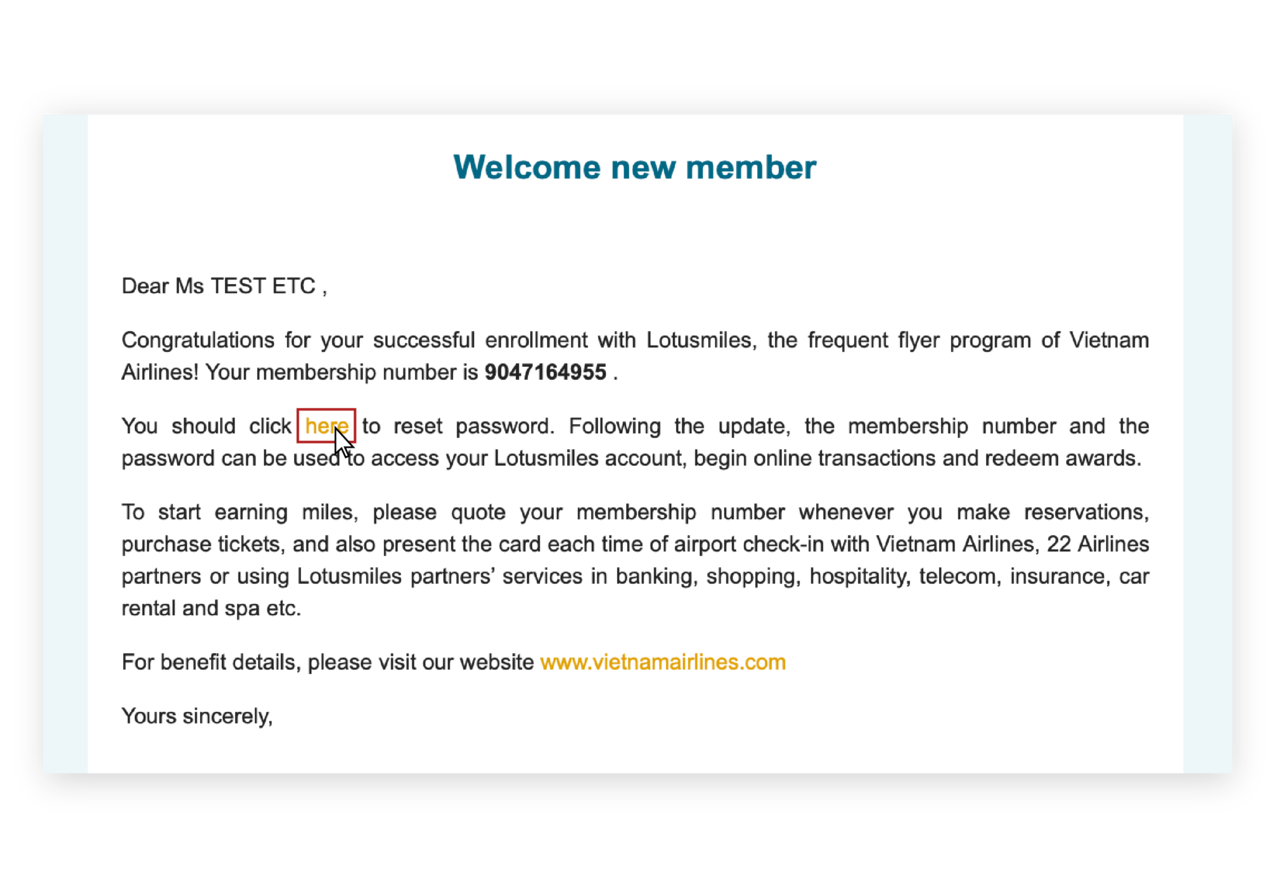
After receiving a card number and link to the registered email address, proceed to change the account password. The account has been successfully activated at this time. Welcome to the Lotusmiles Program!
If you do not receive an email, please check your spam, junk, or promotional mailbox or contact the Lotusmiles help desk at the email lotusmiles@vietnamairlines.com.












© 2025 Vietnam Airlines JSC
Tổng công ty Hàng không Việt Nam - CTCP. Số 200 Nguyễn Sơn, Phường Bồ Đề, Hà Nội.
Điện thoại: (+84-24) 38272289. Fax: (+84-24) 38722375
Giấy chứng nhận đăng ký doanh nghiệp, mã số doanh nghiệp: 0100107518, đăng ký lần đầu ngày 30/6/2010, đăng ký thay đổi lần thứ 9 ngày 12/01/2022, cấp bởi Sở KHĐT thành phố Hà Nội.




You are about to leave Vietnamairlines.com

You will be redirected to a website that is not owned by Vietnamairlines and is not within our control. The site may not follow the same accesibility polices as Vietnam Airlines.
Would you like to continue?
Would you like to continue?
Notice

According to regulations of the Ministry of Finance, E-VAT invoices are only issued for payment in VND. In case of paying by other currency, please change website country/region.